Practical guide · Updated July 27, 2026
How to publish an app to Google Play
The complete path from an Android App Bundle to Play Console testing, policy declarations, production access and a monitored Google Play release.
The shortest complete path
- Create and verify the correct Play Console developer account.
- Register the app and choose a permanent package name.
- Build a release Android App Bundle that meets the current target API requirement.
- Enroll in Play App Signing and protect the separate upload key.
- Complete the store listing, App content and Data safety forms.
- Distribute the signed build through internal and closed testing.
- Apply for production access if the account requires it.
- Submit the release, control publication and monitor production health.
The upload is only one part of publishing. Google reviews the application, developer identity, declarations, store listing and release state together.
Choose and verify the developer account
Google Play offers Personal and Organization developer account types. Choose the legal owner that should control the application for its lifetime. A company product should normally live in a company-controlled account rather than a contractor or employee account.
- Use a Google Account controlled by the publishing person or organization
- Complete legal-name, address, phone, email and identity verification
- Choose Organization when the app or entity falls into a category that requires it
- Keep the registration transaction record and account-owner access secure
- Enable two-step verification and grant teammates only required Play Console permissions
- Use a separate public support email where practical
- Create the payments profile before monetization work
Google currently documents a one-time USD $25 registration fee. Organization verification can require business details, a website and a D-U-N-S Number. Requirements can vary by category and region, so complete the Play Console checklist before planning the launch date.
Register the app and protect the package name
Create the application in Play Console, choose the default language, declare whether it is an app or game and whether it is free or paid. The package name in the uploaded build becomes a durable product identity.
- Use a reverse-domain package name controlled by the business
- Separate development, staging and production application IDs
- Do not publish a temporary package name that the product will outgrow
- Record the package name in OAuth, Firebase, deep-link and provider configuration
- Keep the Play Console app in the same account that should own future releases
- Use the formal app-transfer process if ownership changes
A package name is tied to signing, store history, deep links and third-party credentials. Treat it as infrastructure, not cosmetic metadata.
Meet the current Android target API requirement
Google Play changes target API requirements on a schedule. Verify the live requirement immediately before building the final release.
Google currently states that starting August 31, 2026, new apps and app updates must target Android 16, API level 36, or higher. Wear OS and Android Automotive have a different threshold, while Android TV and Android XR have another. Existing-app availability rules also change at that deadline.
- Set
targetSdkVersionto the required level for the application category - Compile and test against the corresponding Android SDK
- Review runtime permission and background-execution changes
- Test notifications, file sharing, edge-to-edge layouts and deep links
- Upgrade libraries that block the required target
- Run the release on older supported Android versions as well as the newest one
Do not wait until submission day to upgrade the target API. The upgrade can change behavior that requires product and QA work.
Build a reproducible Android App Bundle
Google Play uses Android App Bundles to generate optimized APKs for different device configurations. Build the release from a clean checkout with a versioned environment and known application identity.
- The release build succeeds outside the original builder preview
versionCodeincreases for every uploaded releaseversionNamematches the human-facing release plan- Production API URLs and feature flags are correct
- Debug logging, test credentials and development menus are removed
- Native symbols and mapping files can be associated with the release
- The minimum and target SDK values match the support policy
- The generated AAB is archived with source revision and build evidence
A locally installed debug APK does not prove the Play-distributed artifact. Test what Google Play generates from the AAB.
Understand Play App Signing and the upload key
With Play App Signing, Google protects the app-signing key and signs the optimized APKs delivered to users. Your team signs uploaded bundles with a separate upload key.
- Enroll using the account owner or a role with the required permission
- Keep the upload keystore outside the repository
- Store credentials in an approved secret manager
- Back up the release procedure, not secrets in a shared document
- Register the Play signing certificate with OAuth, Maps, Firebase and other providers
- Know the upload-key reset process before an emergency
Confusing the local upload certificate with the Play app-signing certificate is a common reason production authentication works differently from local builds.
Create the store listing
The default store listing explains the product to users and supplies review metadata. The current Play Console interface allows an app name up to 30 characters, short description up to 80 characters and full description up to 4,000 characters.
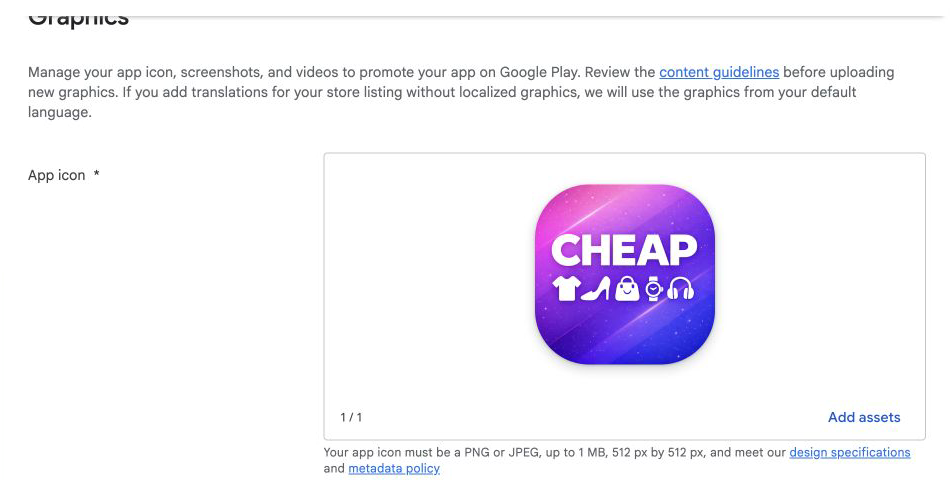
- App name states the recognizable product or outcome
- Short description explains the core value without unsupported claims
- Full description matches features in the submitted build
- App icon is a compliant 512 by 512 asset
- Feature graphic, phone screenshots and required device assets are current
- Support email, website and privacy-policy URL work without authentication
- Category and tags reflect the actual application
- Translations are reviewed rather than blindly generated
The listing should convert qualified users, but it must also provide an accurate description of the reviewed product.
Complete App access before review
If any meaningful functionality requires login, membership, a location, a special role or another access condition, give the review team a complete path.
- Provide a durable reviewer account and password
- Avoid an unavailable SMS code or employee-only second factor
- Explain how to reach restricted screens
- Provide any PIN, organization code or entitlement the reviewer needs
- Keep backend test data available throughout review
- Explain hardware or regional limitations
- Verify the account against the exact submitted build
A reviewer cannot approve functionality that is blocked behind undocumented access. Test the instructions with someone who has never used the product.
Map the whole product for Data safety
All developers must describe how the app collects, shares and protects user data. The declaration covers the application, backend and third-party SDKs, not only code written by the product team.
- Inventory every SDK, API, database, analytics provider, ad network and support tool.
- List the data types each component collects or receives.
- Record whether collection is required or optional.
- Identify the purpose, retention, sharing and deletion behavior.
- Verify encryption and user-request handling.
- Compare the completed form with network traffic from the production build.
Data safety answers must agree with the privacy policy and actual production behavior. Removing an SDK from the interface does not prove its collection code is absent from the binary.
Implement account and data deletion
If users can create an account inside the app, Google Play requires an in-app path to request deletion and a web resource where users can request account and associated-data deletion.
- Deletion is discoverable in the signed application
- The external deletion URL works without reinstalling the app
- The user can identify the account to delete securely
- The backend deletes or anonymizes the promised records
- Connected processors and stored files are included where applicable
- Legal retention exceptions are explained accurately
- The Data safety form and privacy policy describe the same process
- Support can trace and complete failed deletion requests
Deleting the local profile screen or authentication record alone may leave application data, files and third-party records behind.
Finish the App content declarations
Play Console groups policy declarations under App content. Complete every applicable task before expecting a production release.
Answer from the signed build and business model. A builder-generated permission or embedded SDK still belongs to the developer’s declaration.
Review permissions and device behavior
Request only permissions that support a user-visible core feature, and handle refusal without trapping the user.
- Permission prompts appear at the moment of understandable need
- Manifest permissions match actual application behavior
- Camera, microphone, photos, location and notifications have denied states
- Background location or services have a justified core purpose
- Storage access follows current Android models
- Notification permission behavior is tested on current Android versions
- Deep links and app links open only expected routes
- Edge-to-edge layout, back navigation and keyboard behavior are tested
Target API upgrades can change permission and platform behavior even when application code did not change.
Configure products and Google Play Billing
Digital products and subscriptions sold inside the application require a current billing design. Create products in Play Console and map them to durable server-side entitlements.
- Product identifiers are stable across client and backend
- Purchase, pending, cancellation and failure states are handled
- Verified purchases grant access idempotently
- Restore or re-query recovers owned access
- Renewal, expiry, grace period, refund and revocation update entitlements
- Test products work for the review account
- Pricing and subscription terms are shown clearly
- Regional billing choices and current service-fee rules are reviewed separately
Use the in-app purchases guide for the complete transaction lifecycle.
Start with internal testing
Internal testing distributes Play-generated builds quickly to a controlled group and is useful before the store listing is complete.
- Install from the Google Play opt-in link
- Test clean install and upgrade from a previous version
- Verify production authentication and API configuration
- Exercise purchases, push, deep links and account deletion
- Review the automated pre-launch report
- Upload native symbols and mapping files for readable crashes
- Test supported device sizes, Android versions and manufacturers
- Capture version-specific feedback and resolved issues
Internal testing proves the Play signing and delivery path. It does not replace the closed-test requirement attached to some new personal accounts.
Meet the closed testing requirement when it applies
Personal developer accounts created after November 13, 2023 must meet Google’s testing requirement before production access. Google currently requires a closed test with at least 12 testers who remain opted in continuously for at least 14 days.
- Recruit target-relevant testers with eligible Google Accounts
- Give clear instructions for the journeys and failure cases to test
- Keep at least 12 testers opted in for the complete continuous period
- Provide a feedback channel and inspect Play testing feedback
- Track crashes, ANRs and product events by test version
- Record feedback themes and changes made because of the test
- Do not treat inactive email addresses as evidence of product testing
Open testing becomes available after production access. Account requirements can change, so treat the dashboard as the final source for the specific account.
Apply for production access
After the qualifying closed test, eligible personal accounts can apply from the Play Console dashboard. Google asks about the test, the product and production readiness.
Keep answers concrete and consistent with analytics, feedback and release history. The purpose is to demonstrate learning and operational readiness, not to produce generic assurances.
Create the production release
Choose the production track, create a release, select or upload the AAB and review every warning before submission.
- Version code has never been used
- Release notes describe the current build
- Country and device availability match the launch plan
- Store listing and policy changes are included intentionally
- App signing certificate and provider credentials are correct
- App access credentials remain active
- Critical Play Console warnings are resolved or understood
- A release owner watches review messages
Google notes that review can take up to seven days or longer in exceptional cases for certain developer accounts. Do not promise a public date that assumes instant review.
Use managed publishing and staged rollout correctly
Managed publishing can hold approved changes until the team chooses to publish them. It helps coordinate an approved release with support, marketing and backend changes.
Staged rollout distributes an update to a percentage of users and can be halted or expanded. Google states that staged rollout is for app updates, not the first publication of a new app.
- Choose managed publishing before submitting the change that needs coordination
- Confirm which approved items are waiting to publish
- For later updates, start with a percentage supported by the monitoring capacity
- Watch affected users, not only raw crash counts
- Halt the rollout when impact exceeds the release criterion
- Ship a corrected build rather than trying to replace an uploaded bundle
- Increase the rollout manually after the observation window
Monitor the release and Android vitals
The release is not complete when status changes to Available. The first days expose devices, networks and account states that testing missed.
- Crash-free users and sessions by version
- ANR rate and affected user journeys
- Startup, rendering and battery signals where relevant
- Install, onboarding, activation and purchase conversion
- Authentication, sync and API failures by reason
- Push delivery and deep-link destination success
- Ratings, reviews, support themes and refund signals
- Adoption of the new version and old-version compatibility
Use the mobile app monitoring guide to define dashboards, alerts and release criteria.
Google Play publishing checklist
- Developer identity and account type are verified
- The business owns the Play Console app and package name
- The AAB builds reproducibly with the required target API
- Play App Signing and upload-key ownership are documented
- Production signing certificates are registered with providers
- The store listing and graphics match the submitted version
- App access instructions work for a new reviewer
- Data safety includes backend and third-party SDK behavior
- Account creation has in-app and web deletion paths
- Ads, content rating, target audience and permissions are accurate
- Purchases and entitlements survive restore, refund and expiry
- The Play-delivered build passed internal testing
- Closed testing and production access are complete when required
- Release timing, monitoring and response ownership are documented
Google Play FAQ
What is the Google Play app icon size? The Play Console listing requires a 512 by 512 app icon and validates accepted format and file size.
Is an AAB required? Google Play uses Android App Bundles for new app distribution and generates optimized APKs for supported devices.
Why can’t I publish to production? Check identity verification, unfinished App content tasks, target API and the testing or production-access requirements attached to the account.
Do all accounts need 12 testers for 14 days? Google applies this requirement to personal accounts created after November 13, 2023. The Play Console dashboard is authoritative for the specific account.
Can the first release use staged rollout? No. Google documents staged rollout for updates, not the first publication of a new app.
Can I control the exact go-live moment? Managed publishing can hold approved changes until the team chooses to publish them.